
TG Comments / Desktop app
Automate your Telegram comment workflow
Track new posts in selected channels and find topics worth responding to. Draft comments with templates or use AI for your own channel’s content. Publish manually or automatically in channels you own, with permissions verified by Telegram. Manage it all from one desktop app.
Explore the featuresFor macOS and Windows
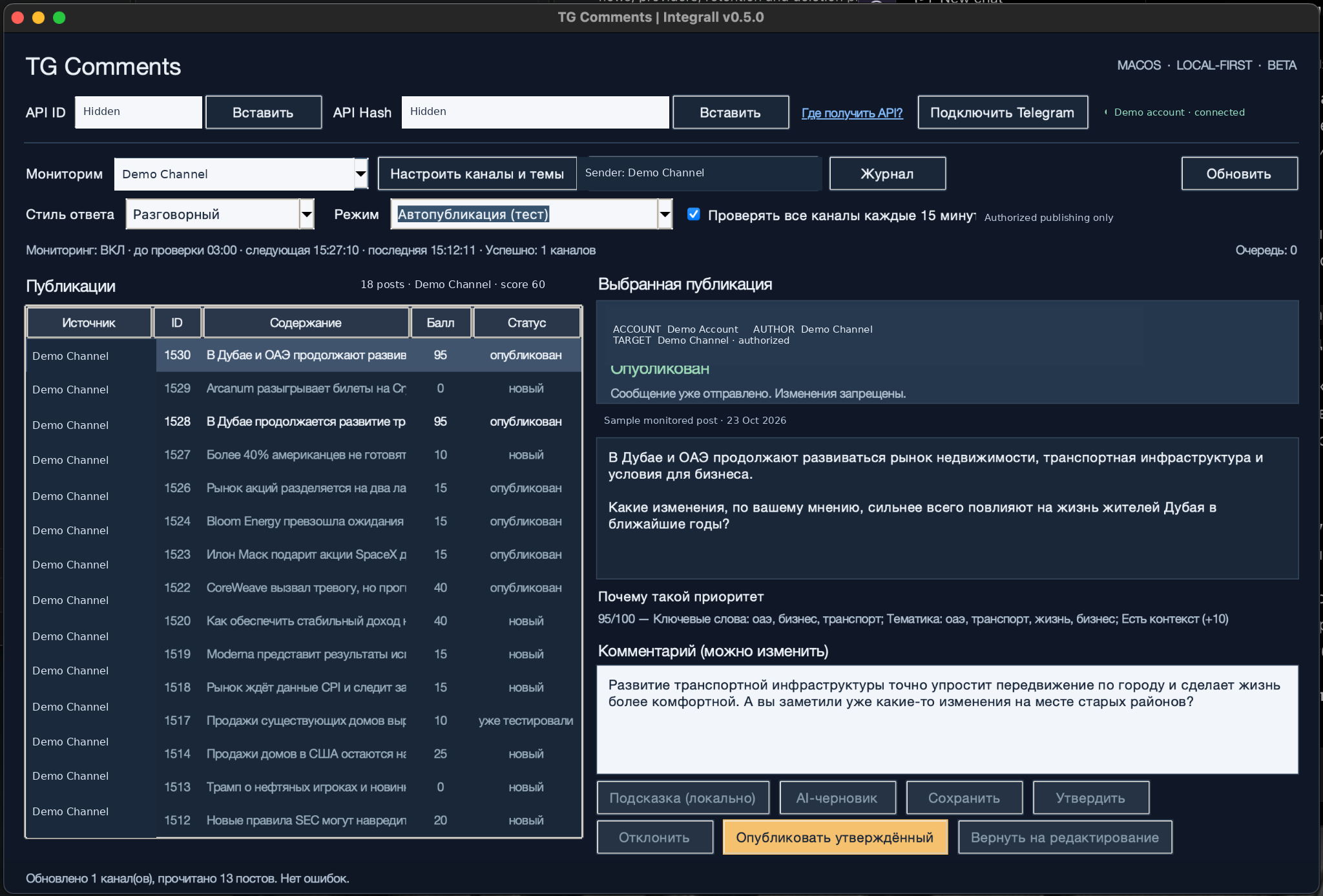
Keep up with posts. Spend less time checking.
TG Comments brings monitoring, drafting and publication records into one app.
Your task
Check channels for new posts.
How TG Comments helps
Monitor up to 20 selected public channels while the app is running.
Your task
Find posts relevant to your topics.
How TG Comments helps
Filter posts by topic, keywords and exclusions, then review their priority scores.
Your task
Choose a sender and track published comments.
How TG Comments helps
Select a sender permitted by Telegram and check the result in the publication journal.
How it works
Connect Telegram, choose your channels and work through each step to publication.
Connect Telegram
Connect
Sign in to your Telegram account in the app. Your Telegram session and app settings are stored on your computer.
View setup guideMonitor channels
Monitor
Choose up to 20 public channels. The app checks for new posts while it is running and your computer is awake and online. Monitoring does not post anything to those channels.
View setup guideFind relevant posts
Select posts
Set topics, keywords and exclusions. Review the matching posts and use their priority scores to decide which ones need a response.
View setup guidePrepare a comment
Draft
Write a comment yourself or start from a local template. You can also use OpenAI with your own API key for permitted content from your own publishing channel. Posts monitored in third-party channels are not sent to OpenAI for drafting.
View setup guidePublish and check the result
Publish
Check the sender’s Telegram permissions, review the text and publish your comment. Automatic publishing is available only in your own channel after Telegram verifies your permissions. Check publication status in the journal.
View setup guideStep 1 of 5
What you can do with TG Comments
Explore each feature and follow the setup guide.
Monitoring
Follow new posts from up to 20 public Telegram channels in one desktop app.
View setup guidePost selection
Select posts by topic, give priority to useful keywords, and exclude unwanted terms.
View setup guideComment drafting
Write comments yourself, use local templates, or connect your own OpenAI key to draft from permitted content in your own channel.
View setup guideSender selection
Choose the name readers will see on your comments from the senders Telegram allows in your channel's discussion.
View setup guideAutomatic publishing
Publish comments automatically in your own channel's discussion, using a Telegram-authorized sender and the limits you set.
View setup guidePublication journal
Check publication status, drafting information, update times, and published comment IDs in one table.
View setup guidePlanned price · USD
500 comments a month for $5
The plan covers published comments. OpenAI usage with your own API key is billed separately by OpenAI. Subscriptions are not yet available.