
Automatic publishing
Automate repeated publishing after checking the setup manually.
What it does
Publish comments automatically in your own channel's discussion, using a Telegram-authorized sender and the limits you set.
How it helps
Telegram permission checks, frequency limits, and duplicate safeguards keep automatic publishing within your chosen settings.
Example
Publish a comment manually in your own channel's discussion. Then set the publication frequency, enable automatic publishing, and review the first results in the journal.
How to set it up
Step 1 of 4
Select your own publishing channel
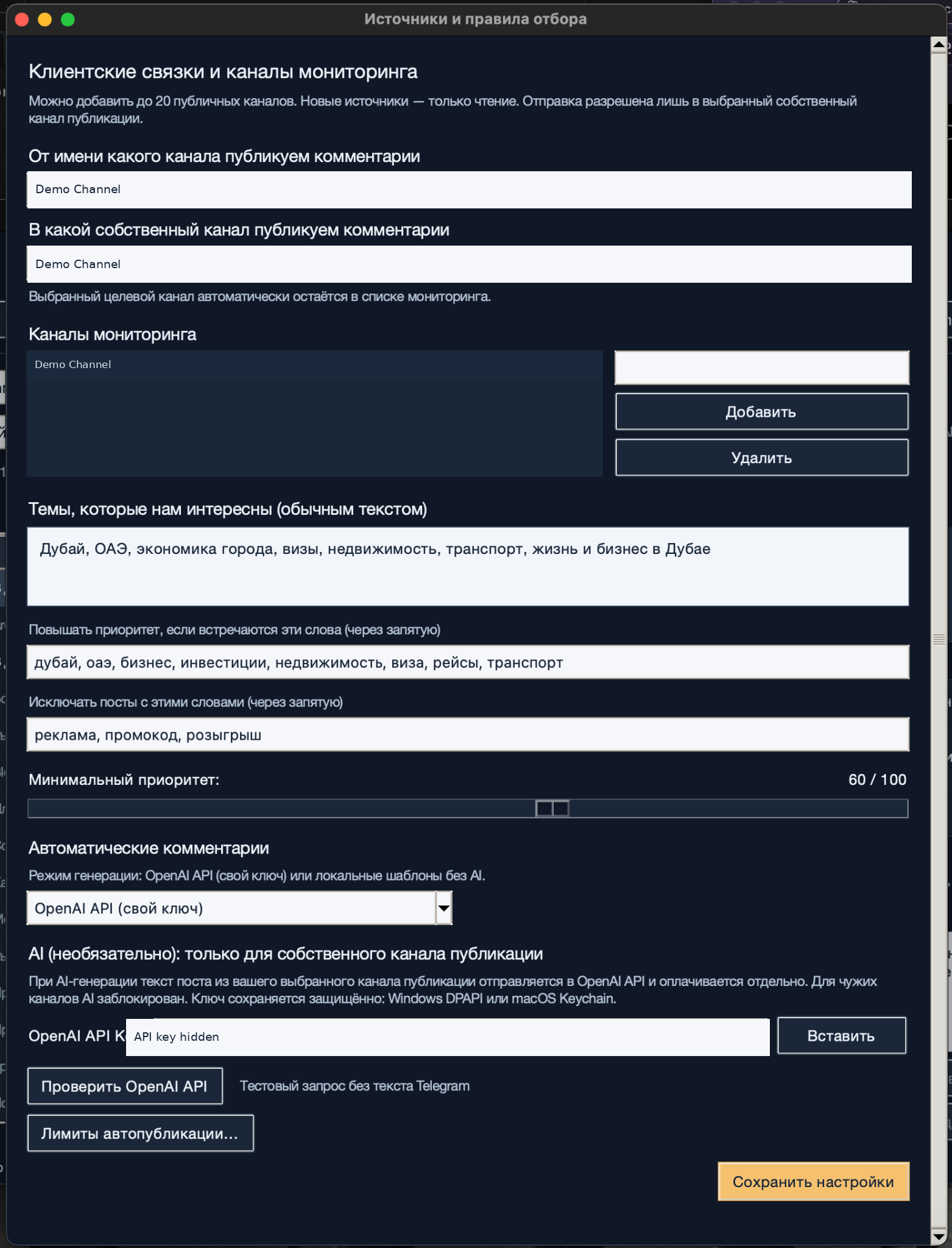
In the source settings, check the channel you will publish as and your own channel where comments will appear. Publishing rights must be verified through Telegram.
Step 2 of 4
Verify the sender and test a manual publication
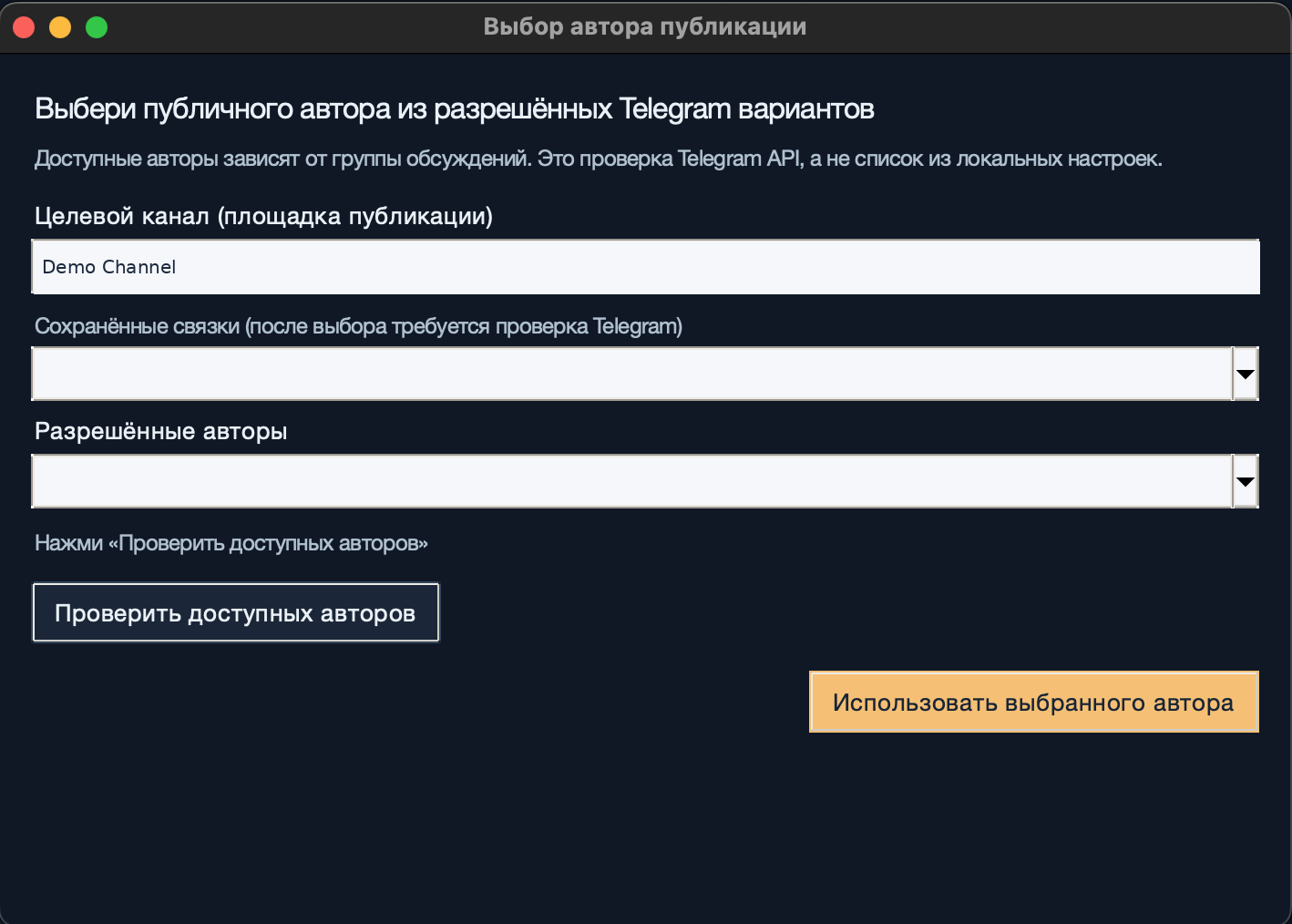
Open sender selection, check the options permitted by Telegram, and apply your chosen sender. Review and publish a comment manually, then confirm the result in the journal.
Step 3 of 4
Set the drafting mode and publishing limits
Choose local templates or OpenAI with your own key for permitted content from your own publishing channel. Open «Лимиты автопубликации…» (Automatic publishing limits), set the publication frequency, and save the settings. Start with a volume you can review.
Step 4 of 4
Enable automatic publishing and check the results
After checking the channel and limits, enable automatic publishing in the main window. Keep the app running and review results in the journal. Pause automatic publishing before making changes if the results need correction.
Step 1 of 4
What to expect
Comments are published automatically in your own channel, with publishing permissions verified through Telegram, frequency limits and duplicate safeguards.